Version 1.0.3 Available

Master Your
Browser Sessions

Save, restore, and organize your tabs with ease. A powerful Firefox extension for productivity enthusiasts who work with multiple tabs and windows.

100% Free
No Tracking
Privacy First
Sessionaire Extension
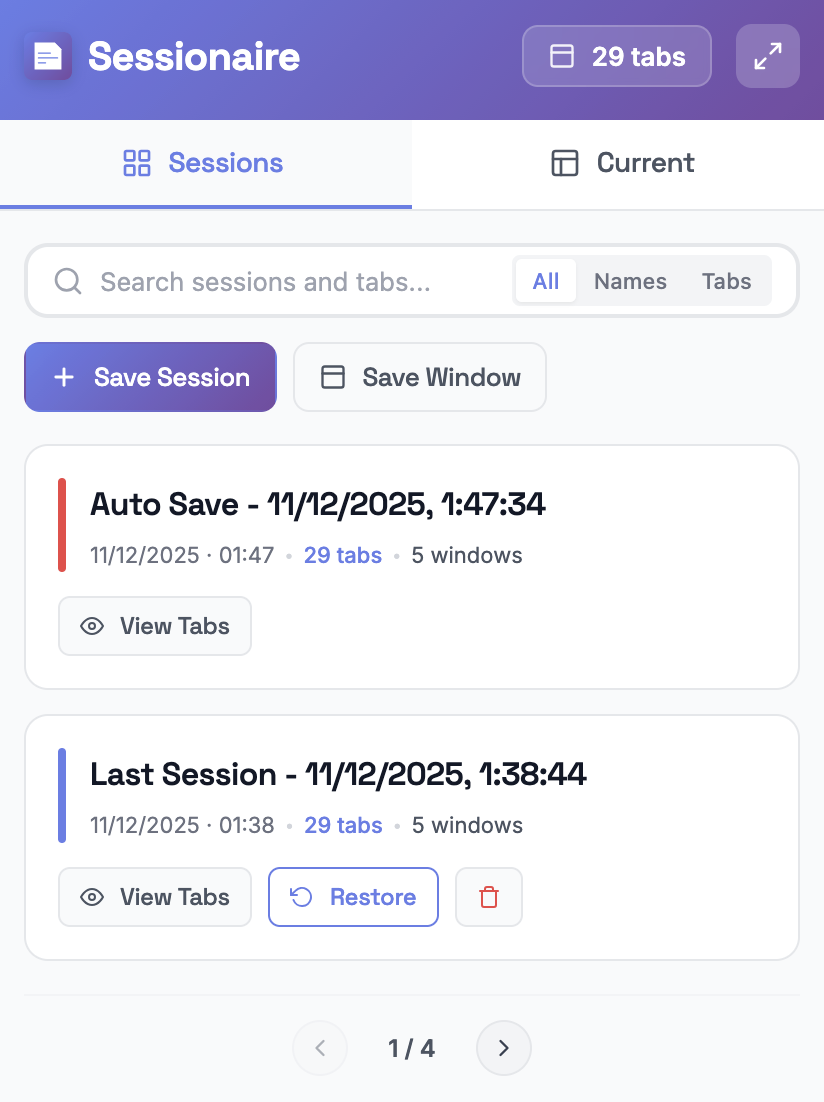
Sessionaire Firefox session manager popup - save and restore browser tabs

Everything You Need

Powerful features designed for productivity enthusiasts who demand the best from their browser.

Session Management

Save and restore entire browsing sessions with a single click. Preserve your workflow across multiple windows.

Crash Recovery

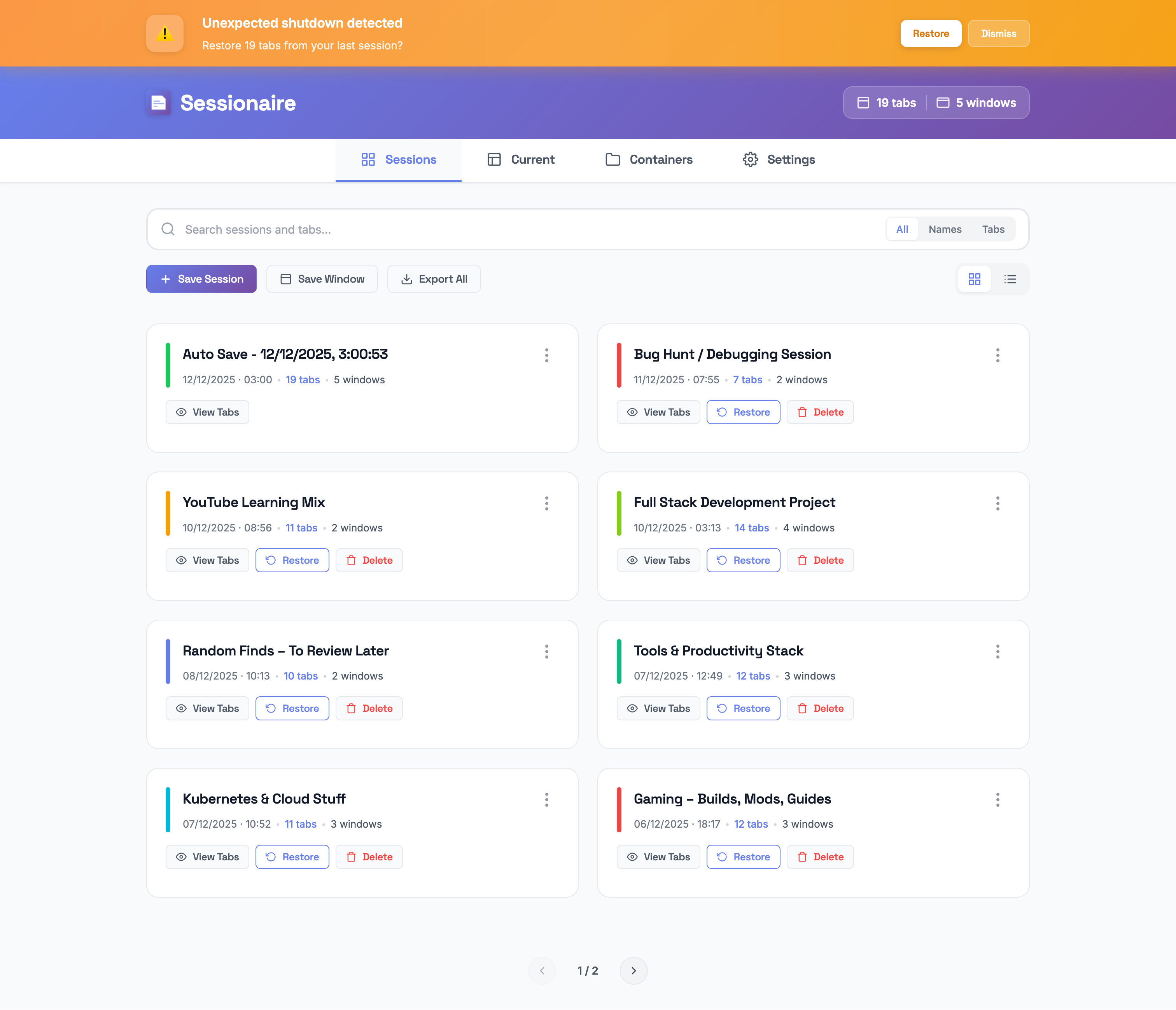
Automatic crash detection with smart recovery. Never lose your tabs to unexpected browser shutdowns again.

Auto-Save

Event-driven auto-save captures your sessions automatically. Your tabs are always protected.

Smart Search

Find any tab or session instantly with fuzzy search. Filter by name, URL, or content in real-time.

Container Support

Full Firefox Multi-Account Containers integration. Organize tabs by workspace with 23 icons and 18 colors.

Export & Import

Export sessions to JSON, XML, or CSV. Backup your data and share sessions across devices.

See It in Action

Explore Sessionaire's beautiful interface designed for seamless productivity and ease of use.

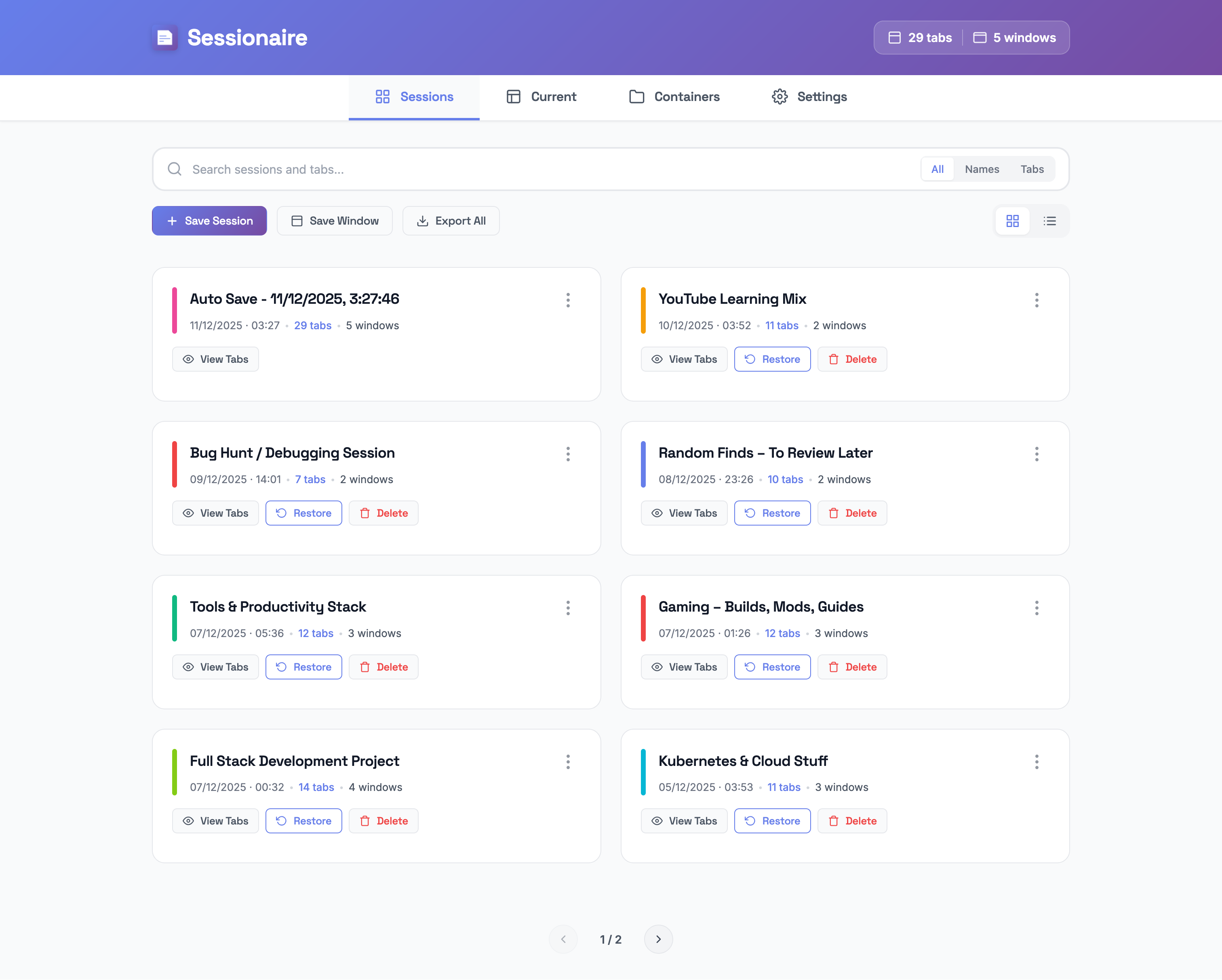
Sessionaire sessions dashboard - Firefox tab manager interface

Sessions Dashboard

Save, restore, and manage all your browser sessions

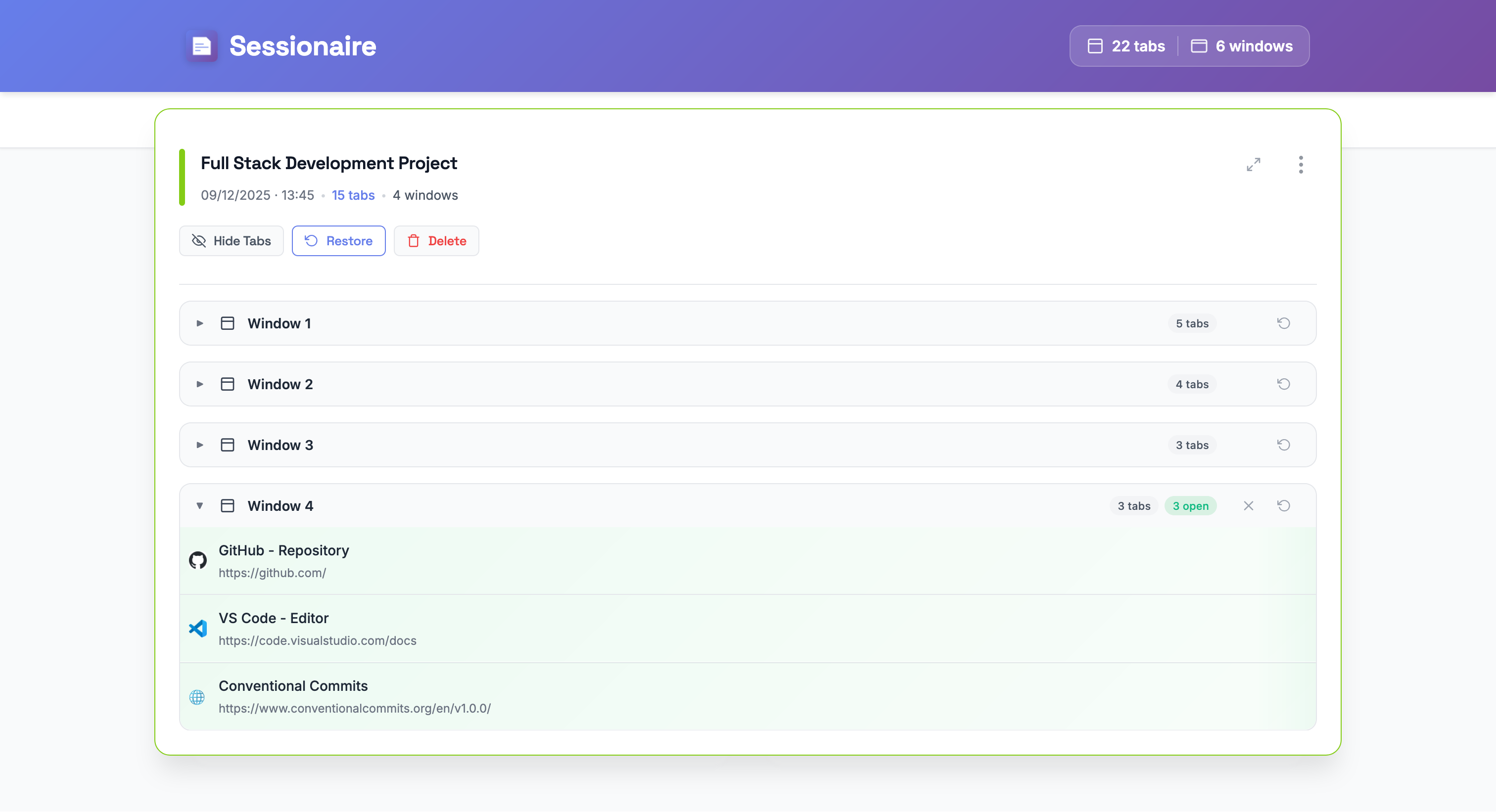
Sessionaire session details - view windows and tabs hierarchy

Session Details

Expand any session to see all windows and tabs at a glance

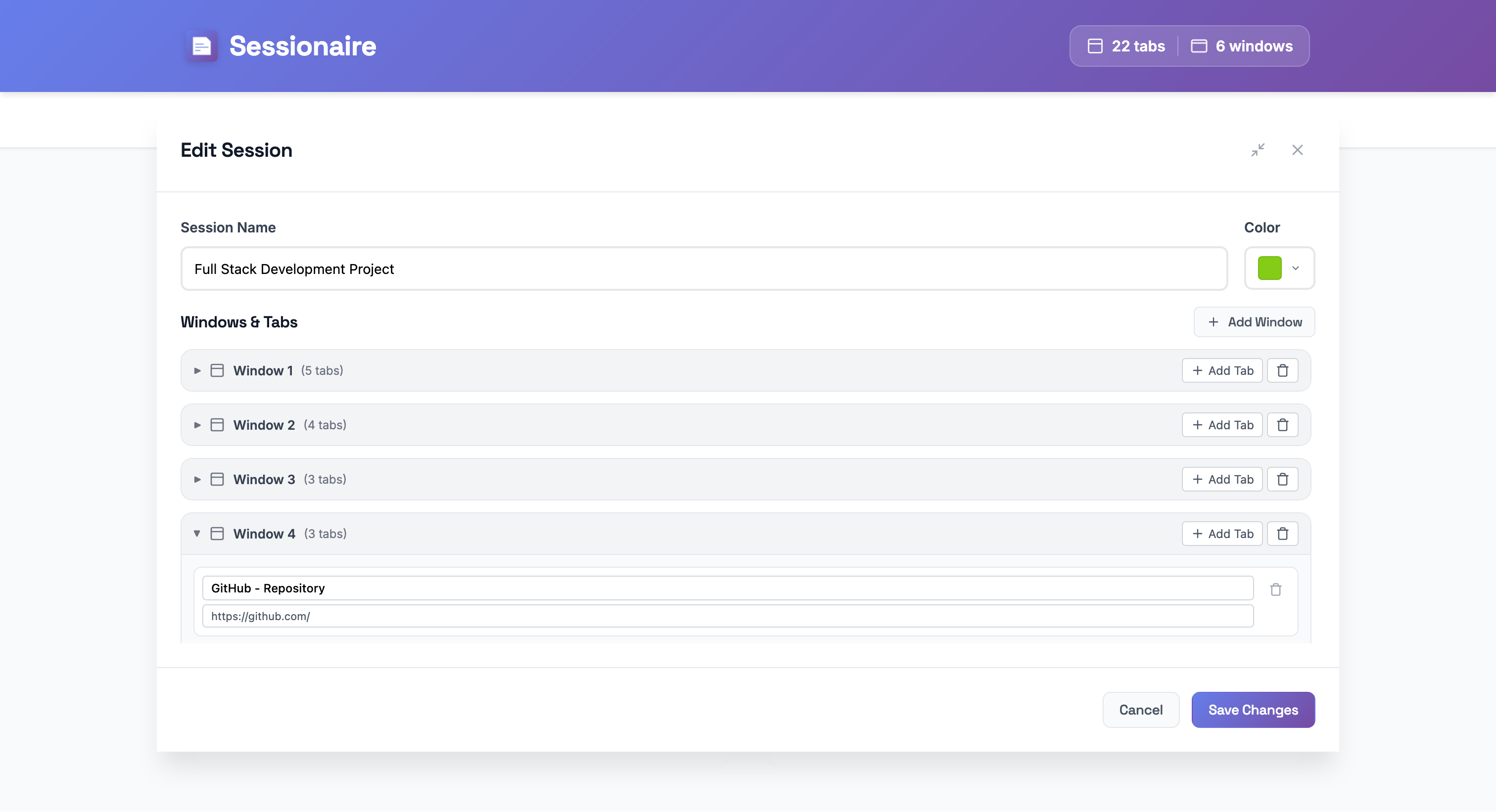
Edit session modal - customize session name windows and tabs

Edit Sessions

Rename sessions, add or remove tabs before restoring

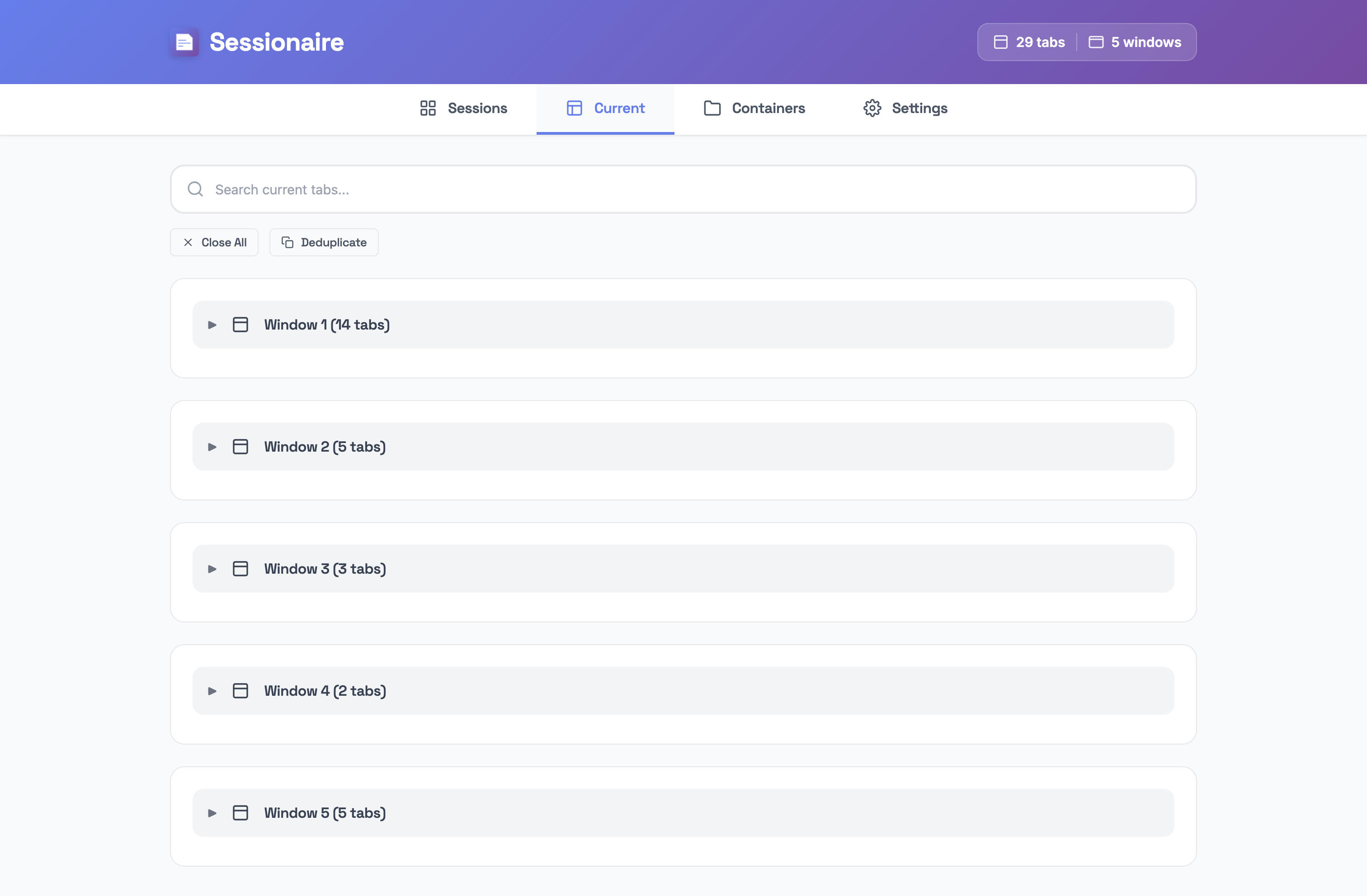
Current tabs view - organize open Firefox tabs and windows

Current Tabs

View all open windows and tabs at a glance

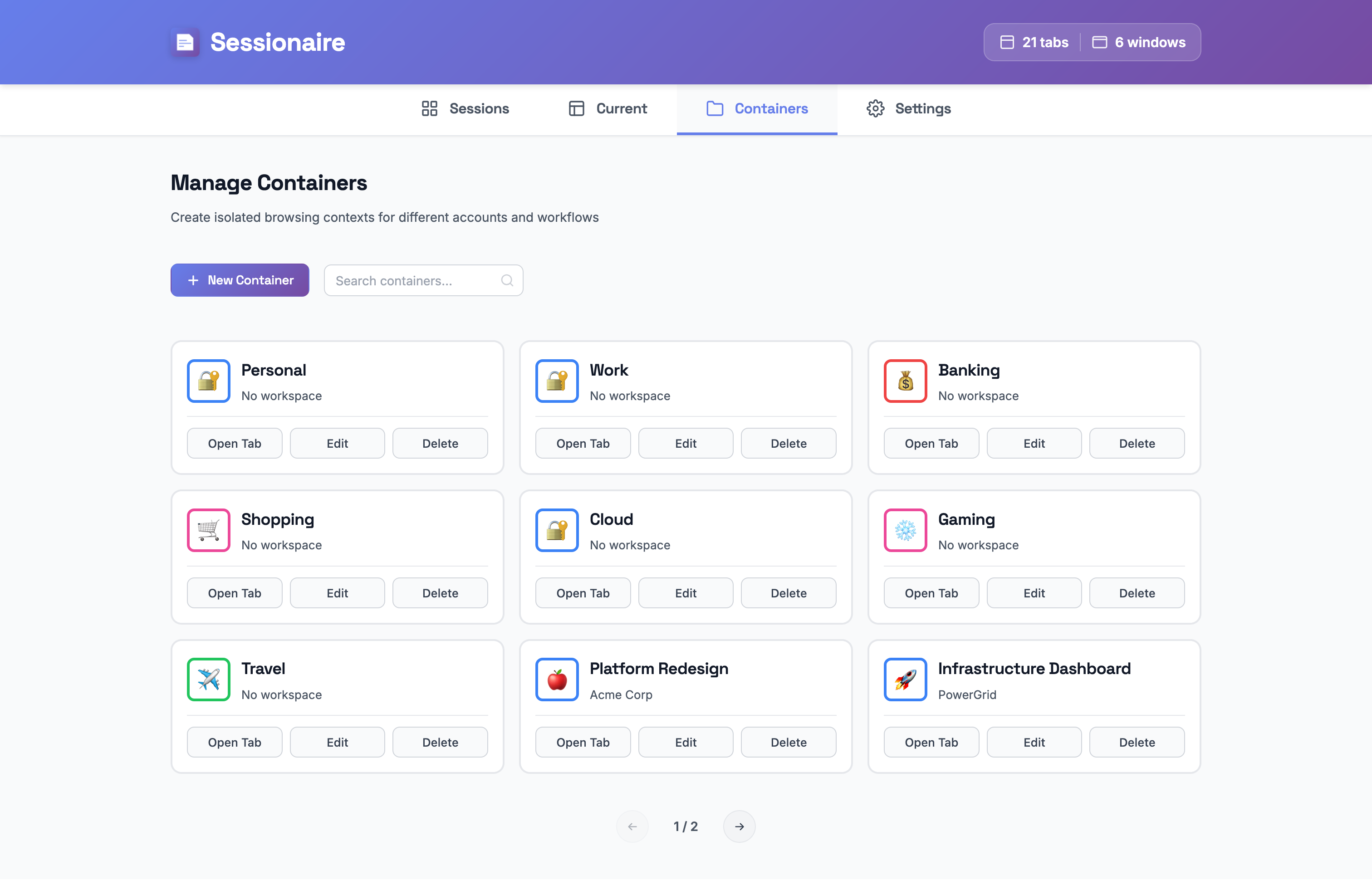
Firefox container management - Multi-Account Containers integration

Container Management

Organize browsing with isolated containers

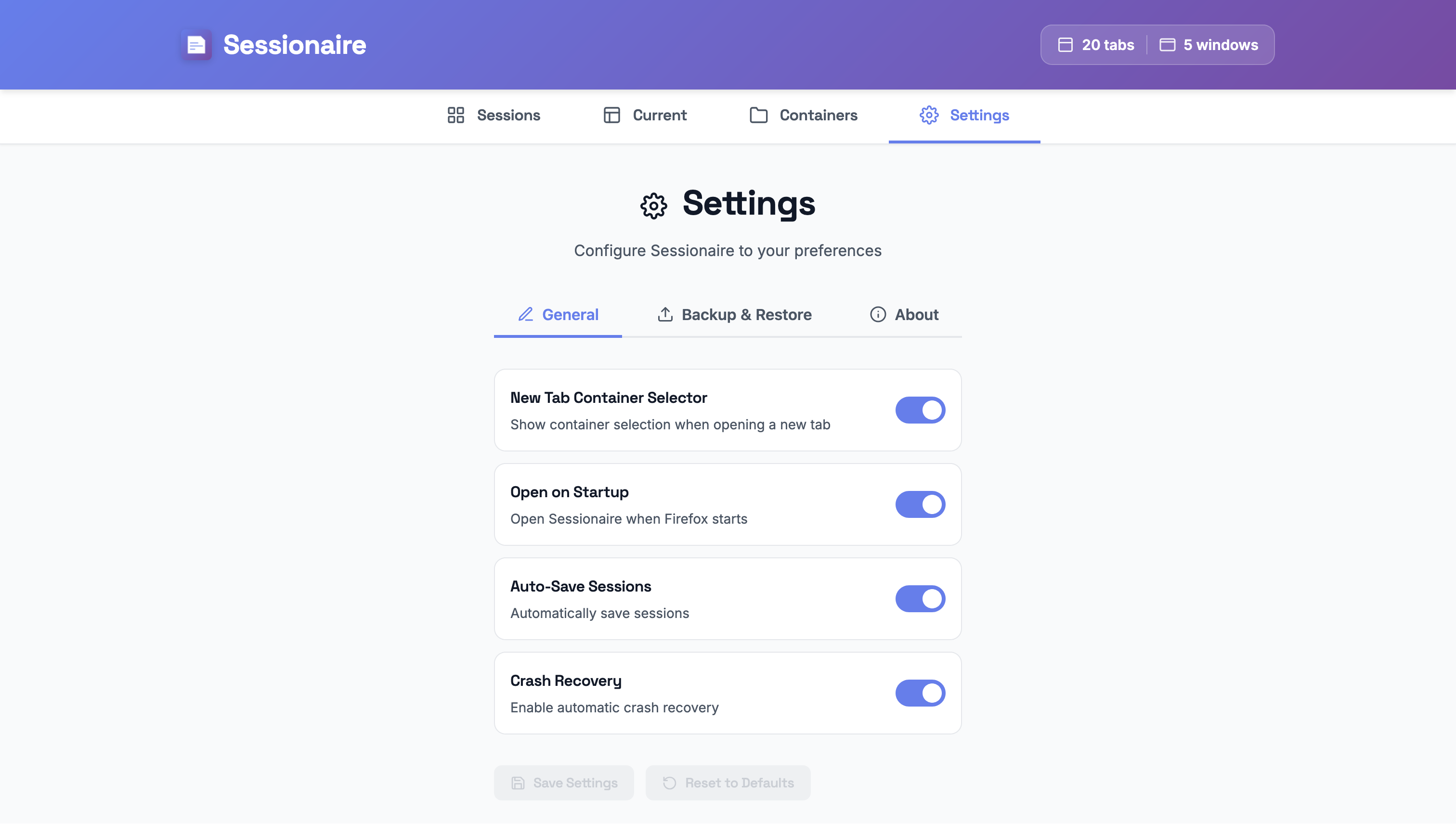
Sessionaire settings - auto-save and crash recovery options

Settings & Preferences

Auto-save, crash recovery, and startup options

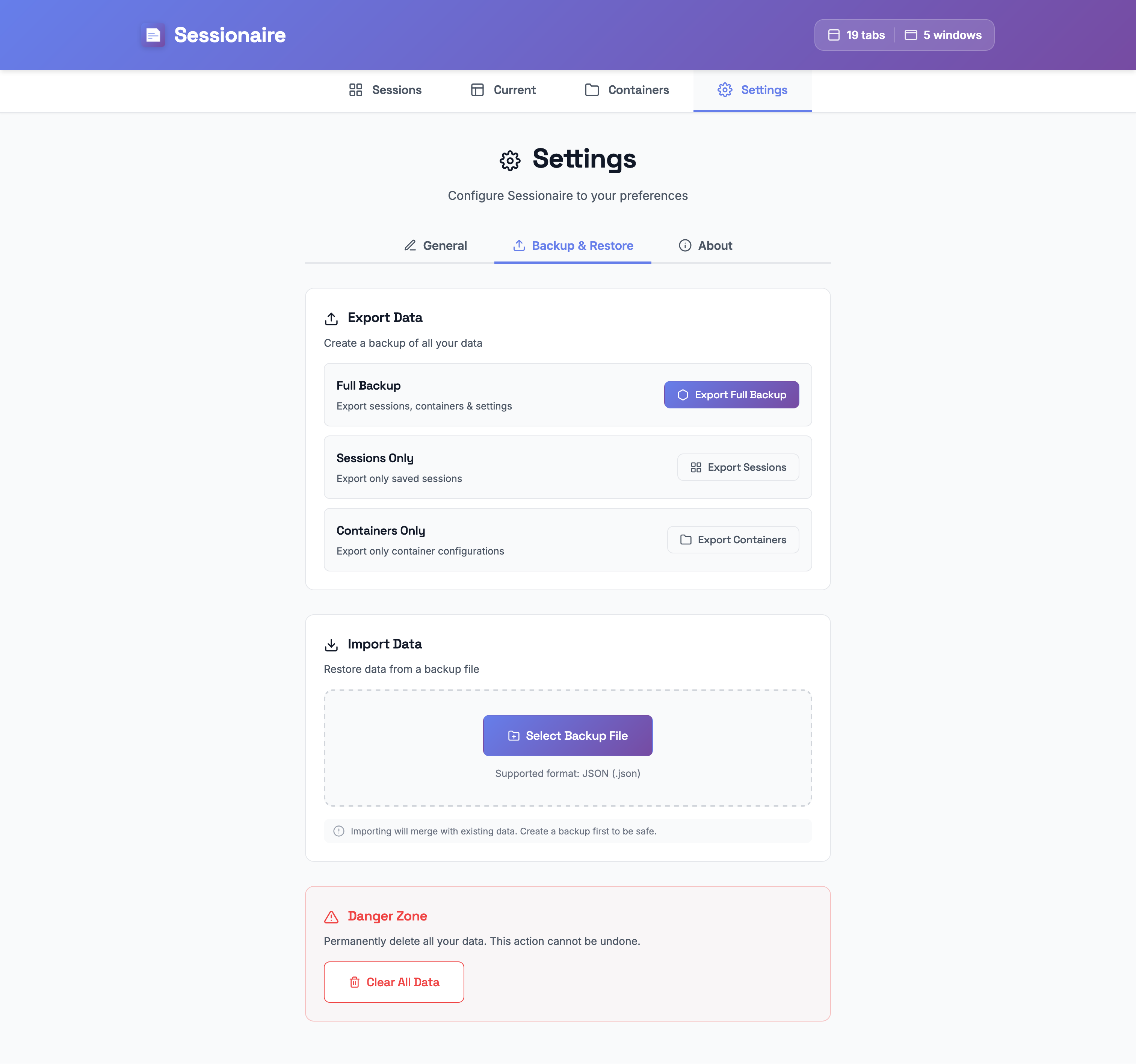
Session backup and restore - export tabs to JSON XML CSV

Backup & Restore

Export and import your data in JSON format

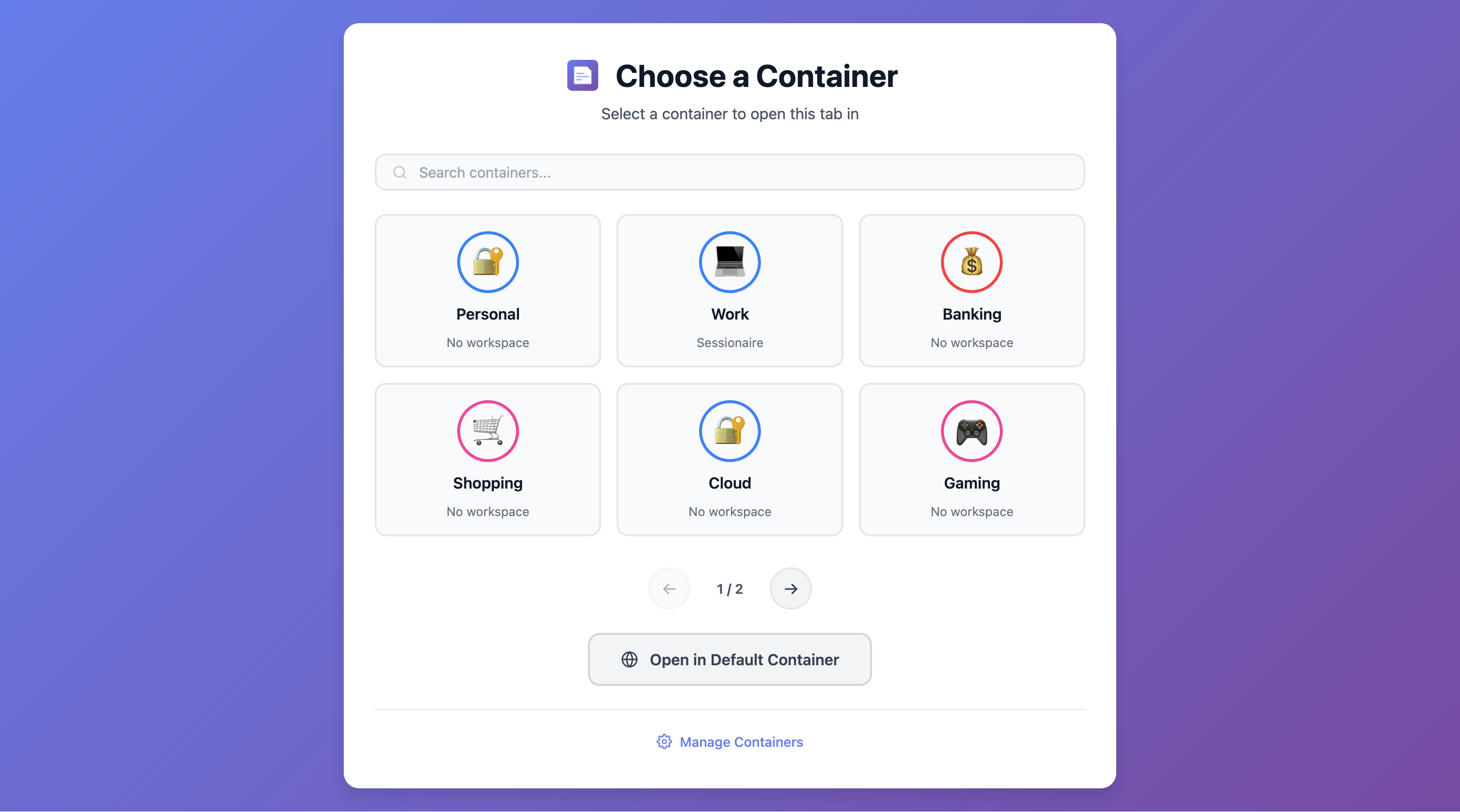
Firefox container selector - choose container for new tabs

Container Selector

Choose a container when opening new tabs

Firefox crash recovery notification - restore tabs after unexpected shutdown

Crash Recovery

Never lose your tabs again — instant recovery after crashes

Screenshot
100% Local
Data stays on your device
No Tracking
No data collected ever
Clean Code
Zero dependencies
Crash Safe
Auto recovery built-in

The Best SessionBuddy Alternative for Firefox

Looking for a session manager like SessionBuddy, OneTab, or Tab Session Manager for Firefox? Sessionaire offers everything you need with complete privacy and zero data collection.

Why Users Switch to Sessionaire

  • Privacy-first: Unlike cloud-based alternatives, your data never leaves your device
  • Crash recovery: Automatic backup with heartbeat monitoring protects your tabs
  • Container support: Full Firefox Multi-Account Containers integration
  • 100% free: No premium tiers, no subscriptions, no ads

Perfect For Users Of

  • SessionBuddy - Looking for a Firefox alternative with better privacy
  • OneTab - Want more features like crash recovery and containers
  • Tab Session Manager - Need a faster, more modern interface
  • Workona - Prefer local storage over cloud-based solutions
  • Toby - Want an open-source, privacy-focused option

Get Started in Seconds

Install Sessionaire and start managing your browser sessions like a pro.

🦊

Firefox Add-ons

Install directly from the official Firefox Add-ons store. Recommended for most users.

Install Now
📦

Download XPI

Download the latest release and install manually via about:addons to complete setup.

View Releases

Rate & Review

Love Sessionaire? Leave a review on Firefox Add-ons to help others discover it.

Write a Review

Keyboard First

Power users love keyboard shortcuts. Access Sessionaire instantly without touching your mouse.

Open Sessionaire
Alt+Shift+
Quick Save Session
Alt+Shift+

💡 On Mac, use Ctrl + Shift instead of Alt + Shift

⌨️

Productivity Boost

Save hours every week with instant session management at your fingertips.

Ready to Master Your Sessions?

Join thousands of Firefox users who have transformed their browsing experience with Sessionaire.